Use your iPad as a Stream Deck for your Mac
Yes, an iPad can be a full control console for a Mac. TouchDeck turns any iPad on iPadOS 26 into keys, rotary dials, sliders and a jog wheel that run shortcuts, open apps and control media on your Mac, over your own Wi-Fi.
A console sized to your iPad
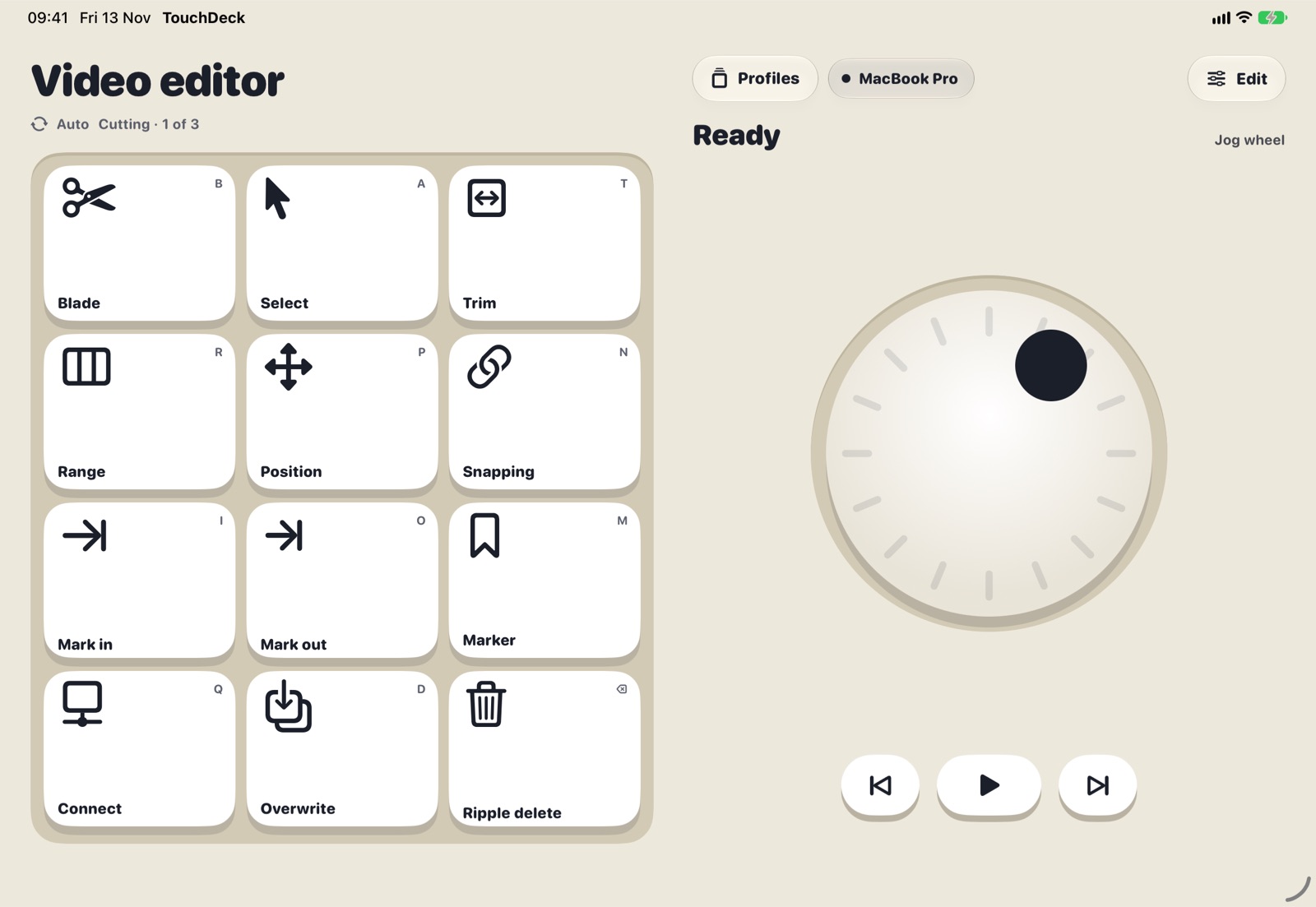
The deck fills the screen of an iPad mini, iPad Air or iPad Pro, and makes room for dials, sliders or a jog wheel when a page has them.
- Large keys for fewer, bigger targets, or Compact for every key that fits
- Portrait or landscape, and resizable windows in iPadOS 26
- A jog wheel with play controls beside it for scrubbing video
- Dials and sliders for volume, brightness, zoom and brush size
Edit on the big screen
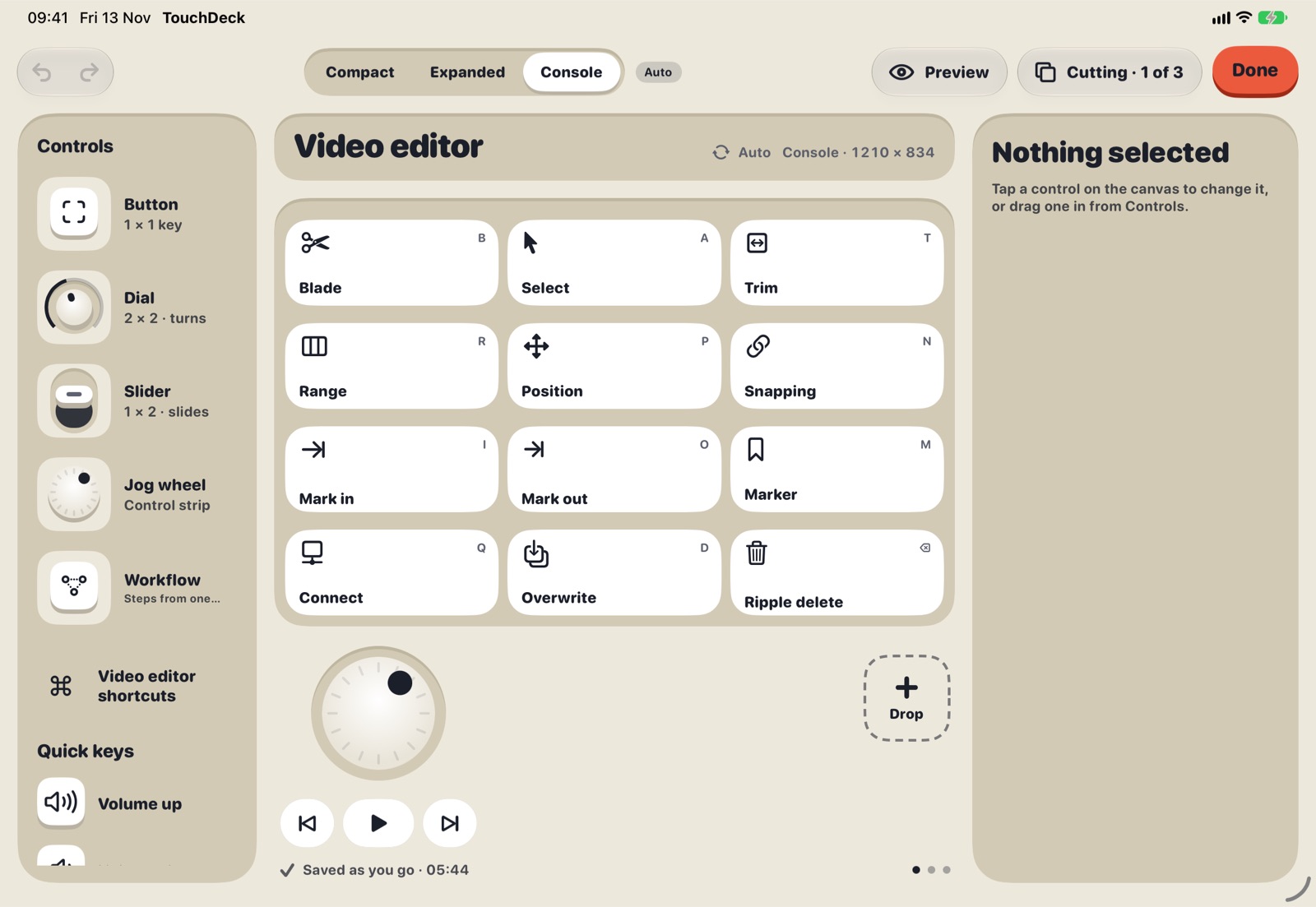
On a wide iPad the editor opens as three panes: controls on the left, the deck in the middle, and the selected key's settings on the right. Drag keys, resize them, add pages and test a dial against your Mac while you edit.
Set it up in three steps
- Install the free TouchDeck for Mac and turn on Accessibility, so it can press keys for you.
- Open TouchDeck on the iPad and pair: pick your Mac and confirm the four-digit code.
- Start from Everyday Mac, a blank page, or a deck built from any Mac app's menus.
What to know first
- Your iPad and Mac need to be on the same Wi-Fi network
- An iPad has no haptic engine, so turns and presses are felt on iPhone but only seen on iPad
- It controls a Mac, not Windows
- Turn on Keep screen awake in Settings so the iPad stays on while you work
Questions
Which iPads work?
Any iPad that runs iPadOS 26, from iPad mini to the 13-inch iPad Pro. The layout adapts to each size.
Can I use my iPad and iPhone at the same time?
Yes. Both can be connected to your Mac at once, each with its own decks. For example, the iPhone can follow your apps while the iPad stays on your everyday keys.
Does the iPad need to be plugged in?
No, but a deck that stays on all day uses battery like any screen that's on. Many people keep the iPad on a stand with a charger.
How much does it cost?
Free for 7 days, then $3.99 a month or $79.99 once for Lifetime (₹199 or ₹3,999 in India). One plan covers all your iPhones and iPads. The Mac app is free.