A control deck for everyday Mac productivity
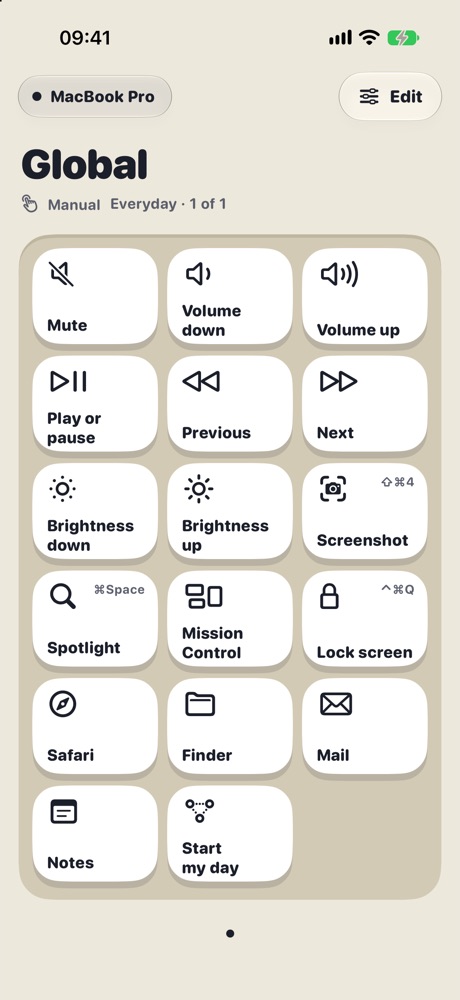
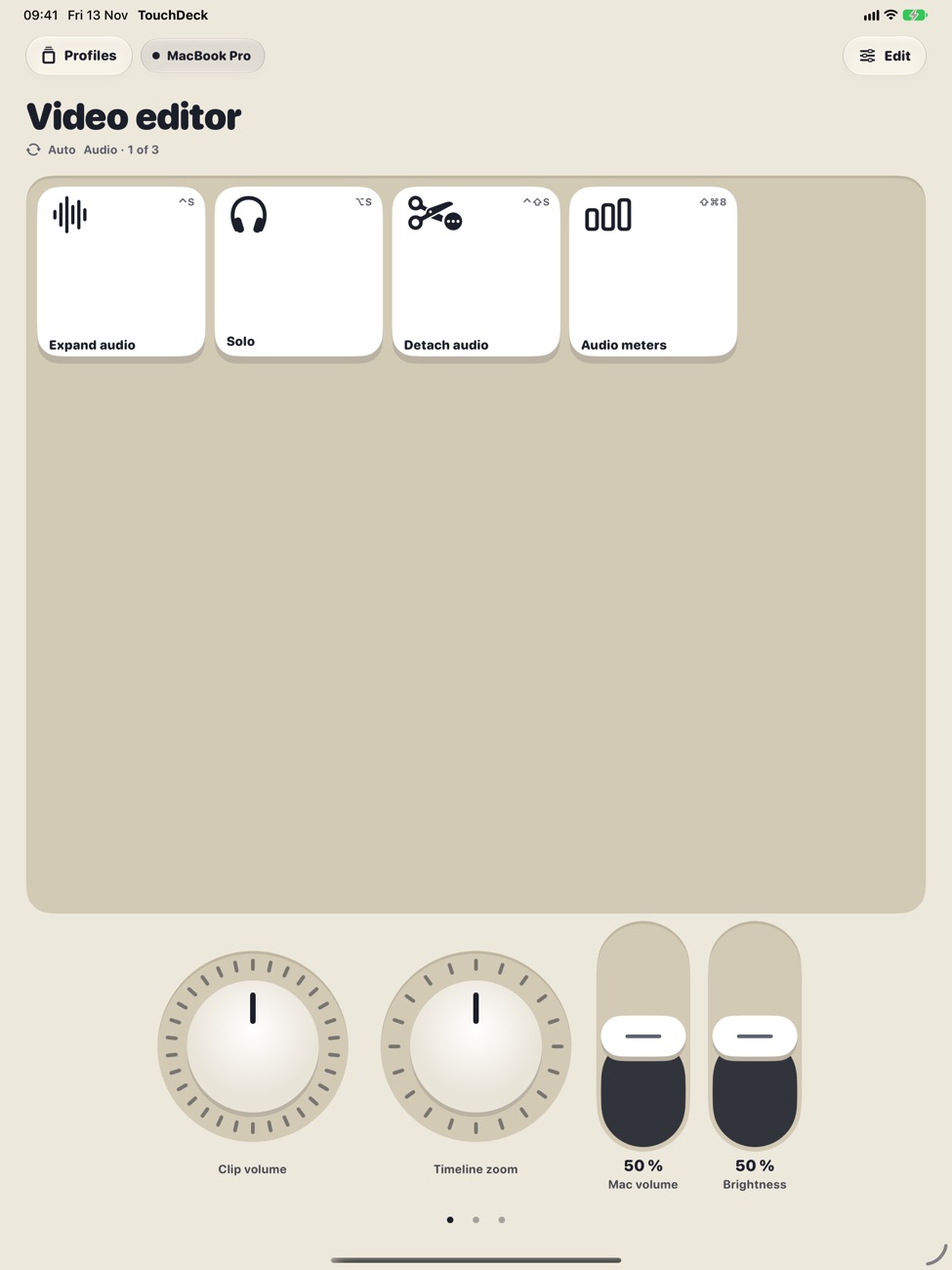
Put the shortcuts you reach for all day on keys you can see and tap. TouchDeck gives your Mac a deck on your iPhone or iPad with one-tap workflows, dials for volume and brightness, and a deck for each app you use.
Decks for the way you work
- Developers: build, run, find in files and refactor shortcuts from Xcode, IntelliJ IDEA or VS Code menus
- Designers: tools, zoom and grouping keys, with a dial for zoom or brush size
- Video editors: blade, mark in and out, and a jog wheel for frame-by-frame scrubbing
- Meetings and office work: mute, volume, lock screen, Mission Control and screenshots
One key, a whole routine
A workflow key runs several steps in order: open an app, wait, press a few shortcuts and run a macOS Shortcut. A progress track shows each step as it runs, so a morning setup or an export routine is one tap.
Private and quick
- Your device and Mac talk directly over your Wi-Fi, encrypted end to end
- No account and no server; decks back up to your own iCloud
- Each press shows its result and how many milliseconds the Mac took
Questions
Do I need to learn the shortcuts first?
No. Choose From a Mac app and TouchDeck lists every shortcut in the app's menus, grouped by menu, so you can tap to add the ones you use.
Can a key open a website or a file?
A key can open any website or app. To open a file or run something more complex, use a macOS Shortcut on a key.
Will it slow my Mac down?
No. The Mac app waits quietly in the menu bar and only acts when you press a key.
What does it cost?
Free for 7 days, then $3.99 a month or $79.99 once for Lifetime (₹199 or ₹3,999 in India). One plan covers all your iPhones and iPads. The Mac app is free.