TouchDeck vs Stream Deck
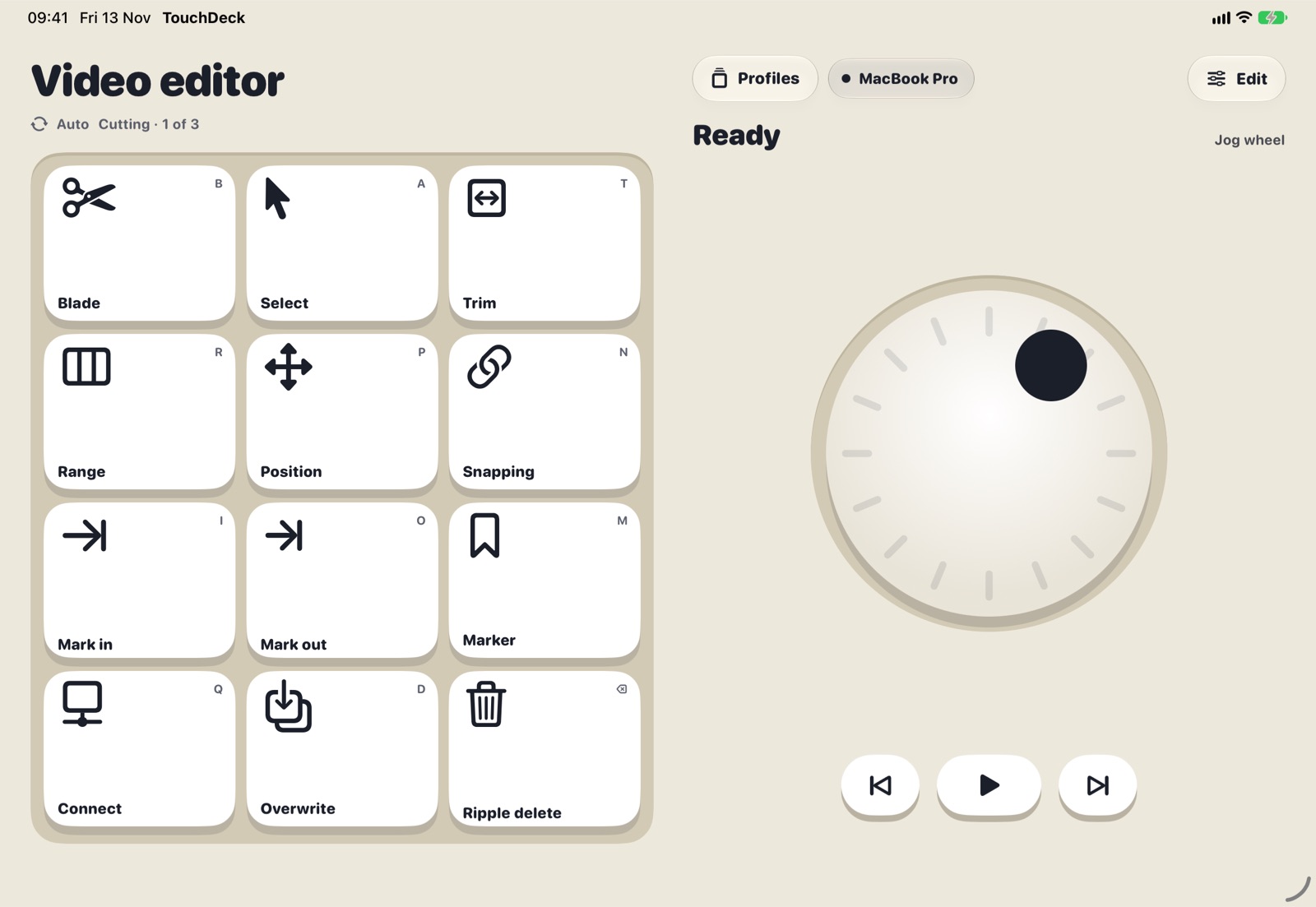
Both give a Mac keys for shortcuts and apps. Stream Deck is dedicated hardware with physical keys and a large plugin library, and works on Windows too. TouchDeck runs on the iPhone or iPad you already own, adds dials, sliders and a jog wheel, and builds decks from your Mac apps' menus.
At a glance
Side by side
| TouchDeck | Stream Deck (hardware) | |
|---|---|---|
| Hardware | Uses the iPhone or iPad you own | A dedicated device with physical LCD keys |
| Platforms | Mac, controlled from iPhone, iPad and iPhone Duo | Mac and Windows |
| Controls | Keys, rotary dials, sliders and a jog wheel | Keys; some models add dials and a touch strip |
| Per-app decks | Switch automatically with the app in front | Supported (Smart Profiles) |
| Decks from an app's menus | Built in: reads any Mac app's menu shortcuts | Set up by hand or with plugins |
| Integrations | Shortcuts, apps, links, media, macOS Shortcuts, workflows | Large plugin ecosystem |
| Tactile feel | Haptic clicks on iPhone; none on iPad | Physical keys |
| Pricing | 7-day trial, then monthly or one-time Lifetime | One-time hardware purchase |
| Account | None; local Wi-Fi only | Optional |
| Upgrading | Comes with you to every new iPhone and iPad | Keys wear with use; upgrading means new hardware |
Choose TouchDeck if
- You work on a Mac and already have an iPhone or iPad
- You want dials, sliders or a jog wheel as well as keys
- You'd like decks made from your apps' own shortcuts
- You want to try it free before paying
Choose a Stream Deck if
- You want physical keys you can find without looking
- You use Windows
- You depend on plugin integrations with specific apps
- You want a device that is always on your desk
Questions
Can I use both?
Yes. They don't interfere with each other; many people keep hardware for a few must-press keys and a phone or tablet for app decks.
Is TouchDeck cheaper?
It depends how long you use it. TouchDeck has a free trial, then a monthly plan or a one-time Lifetime purchase that covers all your iPhones and iPads. Hardware is a single purchase.
Does TouchDeck work without Wi-Fi?
Your device and Mac need to be on the same local network. They don't need internet access.
Is TouchDeck affiliated with Elgato?
No. TouchDeck is independent and not affiliated with or endorsed by Elgato or Corsair.
Related
- Use your iPad as a Stream Deck for your Mac
- A Stream Deck alternative using the iPhone or iPad you own
- Automatic shortcut discovery: buttons from any Mac app's menus
- Automatic app profiles
- A control deck for Mac productivity
- Compare TouchDeck with Stream Deck Mobile, Touch Portal, Deckboard and BetterTouchTool