TouchDeck vs Touch Portal
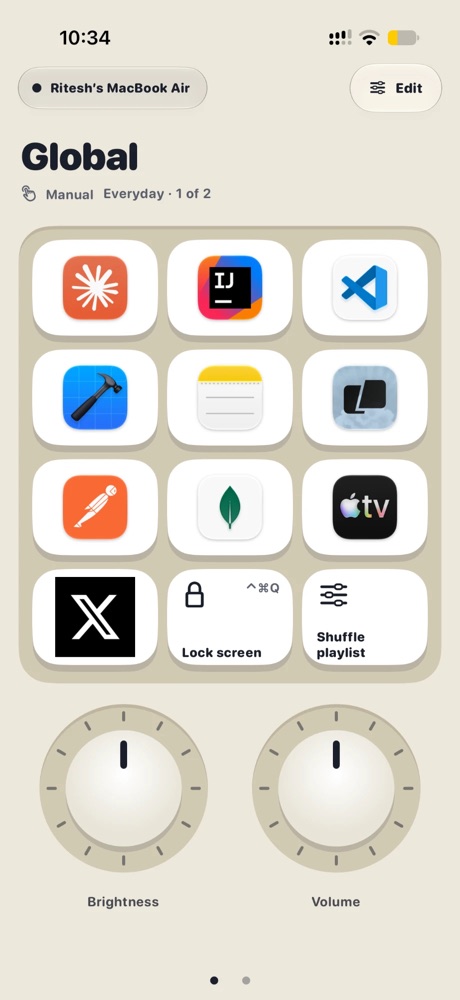
Touch Portal is a flexible macro deck for Windows and Mac with plugins and its own automation. TouchDeck is a native Mac and iPhone app focused on doing the common things with almost no setup: decks built from your apps' menus, automatic switching, and dials, sliders and a jog wheel.
Side by side
| TouchDeck | Touch Portal | |
|---|---|---|
| Needs on the computer | The free TouchDeck for Mac app | The Touch Portal desktop host |
| Computers | Mac | Windows and Mac |
| Phones and tablets | iPhone, iPad, iPhone Duo | iPhone, iPad and Android |
| Controls | Keys, rotary dials, sliders, jog wheel | Buttons and sliders |
| Per-app pages | Built in: follows the app in front | Automatic page switching by app, set up per page |
| Decks from an app's menus | Yes, from any Mac app | Not that we could find |
| Automation | Workflows: open, wait, press keys, run a macOS Shortcut | Events, variables and logic (Pro) |
| Integrations | Shortcuts, apps, links, media, macOS Shortcuts | Plugins (Pro) |
| Price | 7-day trial, then monthly or one-time Lifetime | Free with a small grid; Pro is a one-time purchase, extra devices extra |
What TouchDeck does differently
- Automatic app switching, built in: the deck follows the app in front on your Mac with no rules to write
- Decks from native Mac menus: pick any Mac app and TouchDeck reads the shortcuts from its menu bar and builds a deck (how it works)
- Dials, sliders and a jog wheel alongside keys, with haptic clicks on iPhone
- Local Wi-Fi only: your device talks straight to your Mac, encrypted end to end, after a four-digit pairing code
- No account: nothing to sign up for; decks back up to your own iCloud
- Layouts for each screen: iPhone, both screens of iPhone Duo, and every iPad size
When Touch Portal is the better pick
- You need Windows or Android
- You want plugins or advanced automation with variables and events
- You prefer a low one-time price over a subscription
- You enjoy building your own logic for each button
Questions
Does Touch Portal switch pages by app too?
Yes, Touch Portal can switch pages automatically when an app comes to the front, set up per page. In TouchDeck it's on by default for every app profile.
Which one is easier to set up?
TouchDeck aims for the fewest steps: pair with a four-digit code, then build a deck from an app's menus in a tap. Touch Portal offers more knobs to turn.
Does either need an account?
TouchDeck never needs one. Check Touch Portal's site for its current requirements.
What does TouchDeck cost?
Free for 7 days, then $3.99 a month or $79.99 once for Lifetime (₹199 or ₹3,999 in India). One plan covers all your iPhones and iPads. The Mac app is free.
Related
- Use your iPad as a Stream Deck for your Mac
- A Stream Deck alternative using the iPhone or iPad you own
- Automatic shortcut discovery: buttons from any Mac app's menus
- Automatic app profiles
- A control deck for Mac productivity
- TouchDeck vs Stream Deck
- Compare TouchDeck with Stream Deck Mobile, Touch Portal, Deckboard and BetterTouchTool